Get the foclóir.ie app
Foclóirí ár linne (foclóir.ie) now works as an app that you can install straight from this website. You can do it on your phone, tablet or computer without going through an app store.
It’s free of charge and takes seconds to install. This app is replacing our previous iPhone and Android apps.
What is it?
The foclóirí ár linne (foclóir.ie) app is a progressive web app (PWA). It’s our website, built so it can be installed on your device and opened like any other app, with its own icon and a full-screen view. Unlike the Apple and Android apps, the PWA stays up to date automatically, so you always have the latest version of the dictionaries on your phone. As well as that, the search in the PWA is the same as the search on the website; it’s more powerful than the search in the old apps.
Why we’ve made the change
For a number of years now, we have found it difficult and expensive to keep the Apple and Android apps up to date. The PWA is one single app that works on every device. We won’t be reliant on app store approval. It’s easier for us to maintain. Updates to the dictionaries won’t require users to update their app. Security updates in the app stores will no longer require us to make changes and updates to the app.
We intend to remove our iOS and Android apps from the respective app stores by the end of the year. If you have them on your device they may stay on it, but you won’t be able to find the apps in the app stores, and you won’t receive any updates.
What you can do with the new app
Search both dictionaries, exactly as you can on the website
Hear audio pronunciations of words in the three major dialects
Access grammar files for nouns, adjectives, verbs and prepositions
Access usage notes that will help you further understand the grammar and usage of certain words in Irish.
How to install
Choose your device below. The steps differ slightly between browsers.
iPhone and iPad (Safari)
Open foclóir.ie in Safari.
Tap the menu button at the bottom (three dots).
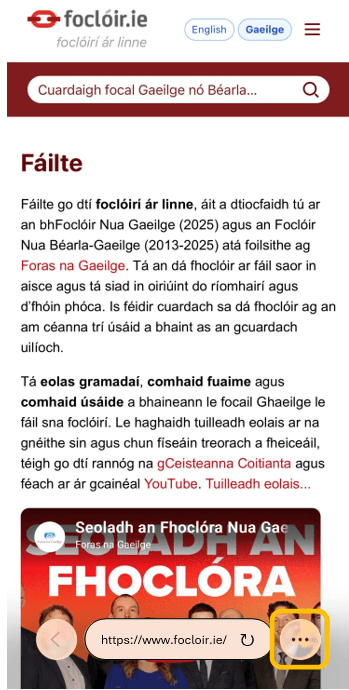
Tap the Share button (the square with an arrow pointing up).
Scroll down and tap Add to Home Screen.
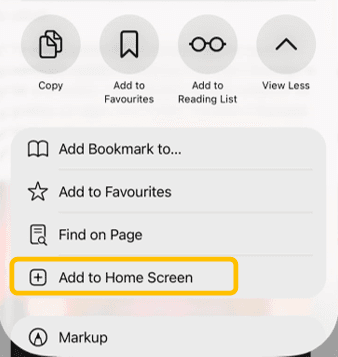
Tap Add
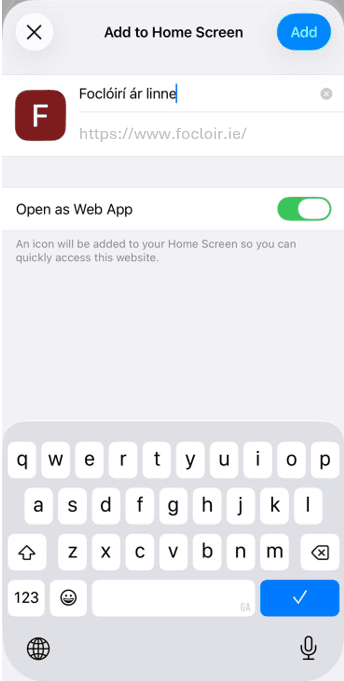
The foclóir.ie icon will now appear on your home screen.
Android (Chrome)
Open foclóir.ie in Chrome.
Tap the menu button (three dots, top right).
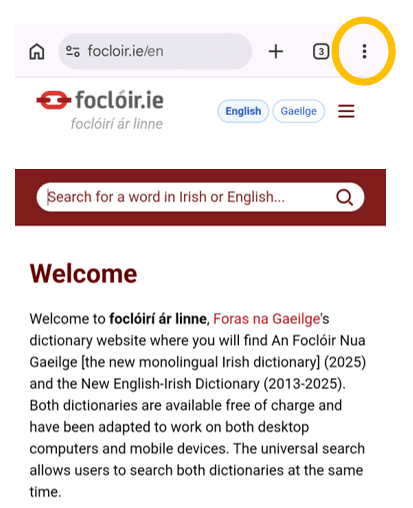
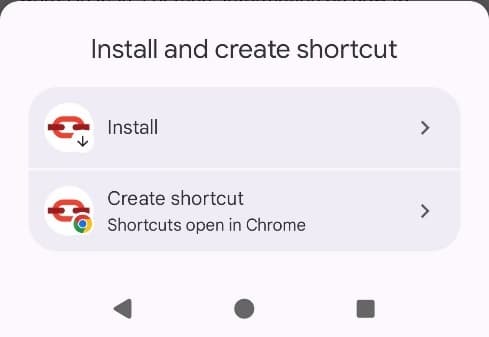
Tap Install and create shortcut (on some devices: Add to Home screen).
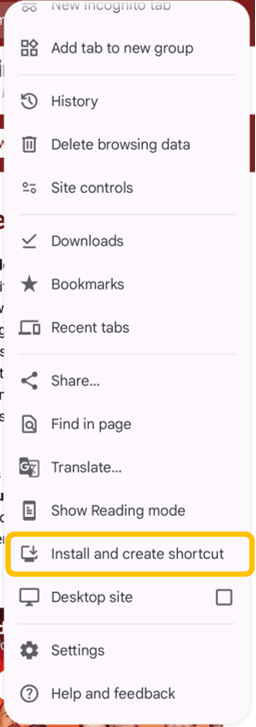
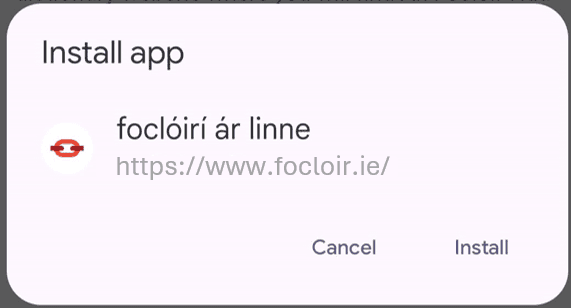
Confirm by tapping Install and then Install again.
Windows, Mac and Chromebook (Chrome or Edge)
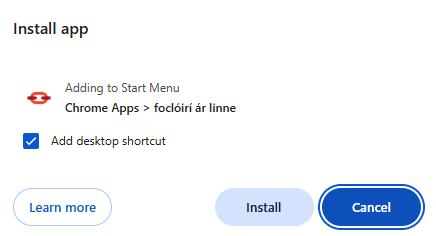
Open foclóir.ie
Look for the install icon
 at the right-hand end of the address bar (a small screen with a down arrow), or open the browser menu and choose Install foclóir.ie.
Click Next.
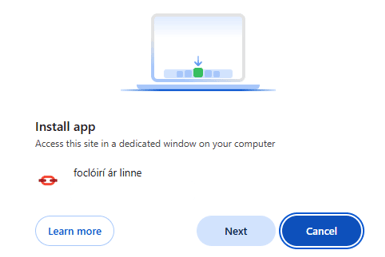
Click Install.
Mac (Safari)
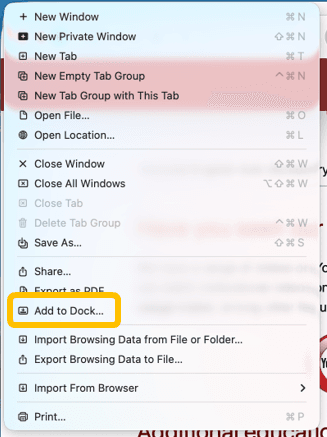
Open foclóir.ie in Safari.
Choose File → Add to Dock.
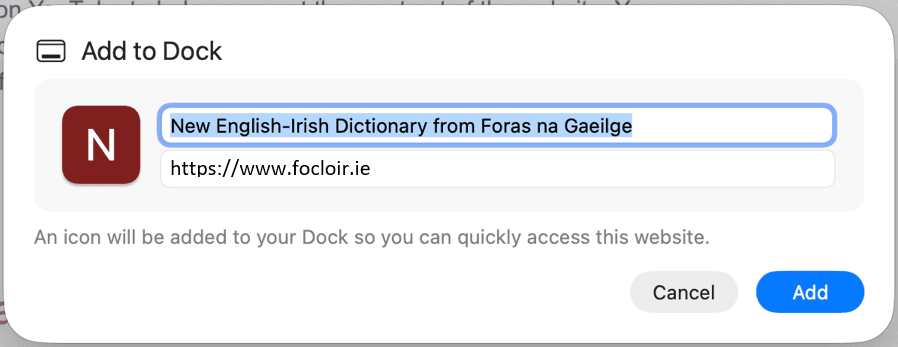
Click Add.
Firefox
Desktop Firefox does not currently support installing PWAs. You can still use the website in Firefox as normal. To install it as an app, use Chrome, Edge or Safari.
Updates
The app updates itself whenever you’re online. You don’t need to do anything.
Frequently asked questions
Is it free?
Yes.
Do I need an account?
No.
Does it work offline?
Not right now, but we will be adding certain features that will be available offline in the future.
I installed it but the icon isn’t showing / it opens in a browser tab.
Make sure you installed it using the steps above for your device and browser. If you only bookmarked the page, you’ll need to repeat the install steps.
How do I uninstall it?
On iPhone/iPad and Android: press and hold the icon and choose Remove App / Uninstall.
On a computer: open the app, click the menu (three dots) in its window and choose Uninstall, or remove it like any other app.
Need help or want to give feedback?
If something doesn’t work or you have a suggestion, contact us at aiseolas@focloir.ie. When you write, please tell us your device, your operating system version and the browser you used.